
A tile link is a page on runelite.net with the whole marker pack in the address, after the #. Open it and the site draws the tiles on a map and shows the JSON the client imports. The pack travels with the link.
The Inferno tiles on the preparation page are one of these links. The same steps work for any boss, raid, or skilling route.
Open a link
- Open the full URL, including everything after
#. - The map shows the tiles. Under it, a box shows the JSON array.
- Select that whole array and copy it.
- In game, with the Ground Markers plugin on, right-click the world map orb beside the minimap and choose Import Ground Markers.
- The client asks whether you want to import that many markers. Choose Yes.
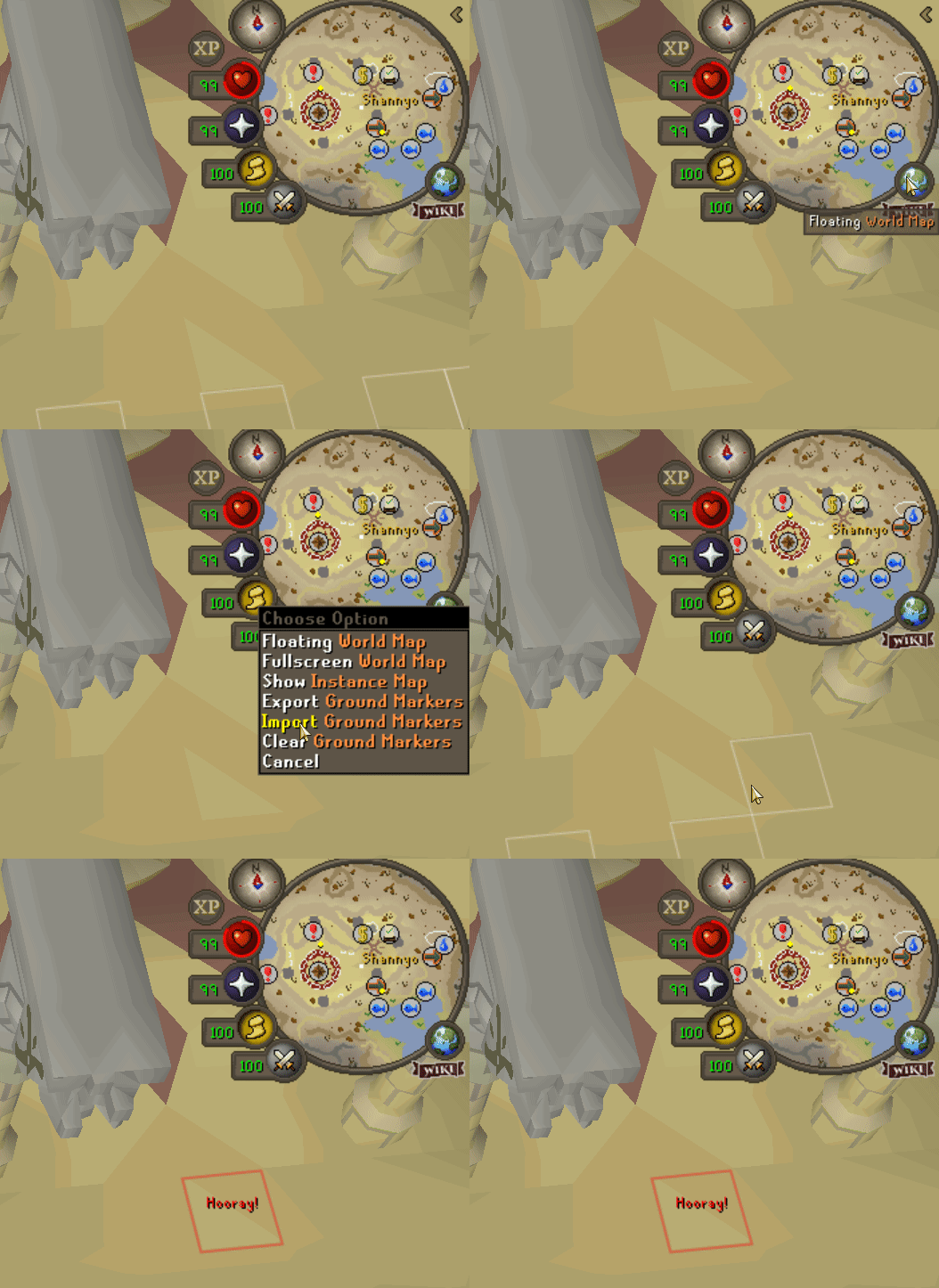
The chatbox confirms the count. The tiles are saved with your other Ground Markers and stay marked between sessions.
If the world map menu has no Import entry, open the Ground Markers plugin settings and turn on Show import/export/clear options. That option is on by default.
What the import keeps
Import adds the new tiles onto the markers you already have. A tile you already marked at the same region, coordinates, and plane stays as it is, color and label included. To change one, Shift-right-click it, choose Unmark, and import again.
Clear Ground Markers, on that same world map menu, removes the tiles in the regions loaded around you, after you confirm. Markers in other parts of the world stay.
The rest of this section
- Making a link covers marking tiles, copying them out of the client, and turning that copy into a URL.
- Tile format is the JSON itself, for writing or editing a pack by hand.